Sprint Build Readiness Auditor helps engineering teams determine whether stories committed to the upcoming sprint are genuinely ready to be built.
It evaluates qualified stories using their specifications, acceptance criteria, design information, and dependency state, and produces a readiness verdict for each story.
The agent automatically:
Identifies the upcoming sprint using the connected planning integration.
Applies deterministic qualification rules to committed stories.
Excludes stories that do not meet the configured work-item, label, size, or specification criteria.
Resolves the governing specification for each qualified story.
Resolves linked design and dependency information.
Evaluates each qualified story across six build-readiness dimensions.
Produces Ready, Not Ready, Skipped, or Not Reviewed outcomes.
Generates specific gaps and remediation suggestions for stories that are not ready.
Sends a structured report to configured recipients when email delivery is enabled.
The agent is advisory only. It does not write back to Jira, ADO, Confluence, Figma, or other external systems.
In simple terms: Sprint Build Readiness Auditor helps engineering teams identify and close story-level readiness gaps before sprint planning.
Why does it exist?
A story can appear ready on the sprint board while still being difficult for a developer to build.
For example:
The specification exists only as a link that has not been reviewed.
Acceptance criteria provide very little implementation detail.
A blocking dependency is still open.
The design associated with the story has not reached the required quality level.
The stored specification-quality baseline is below the required bar.
Sprint Build Readiness Auditor catches these gaps before the team starts execution, giving the Scrum Master and engineering leads time to address them.
Before you start
For meaningful readiness results, the workspace should have:
A connected planning tool such as Jira Software or ADO Boards.
The upcoming sprint and its committed stories available in Cubyts.
Specification or requirement information available for the stories.
Relationships between stories, specifications, designs, and dependencies available in Cubyts.
Workspace members configured as the audience if email delivery is required.
The agent works with information available through Cubyts and the connected planning integration. It does not directly modify the source systems during the audit.
Configure Build Candidate Recommender
Open:
Settings → Agents → Sprint Build Readiness Auditor
The supplied UI is organised into four sections:
Run Configurations
Benchmarks
Audience
Integrations
The agent can be enabled or disabled using the toggle in the top-right corner.
The supplied UI identifies the intended audience as: Scrum Master, Engineering Manager, Engineering Lead
1. Run Configurations
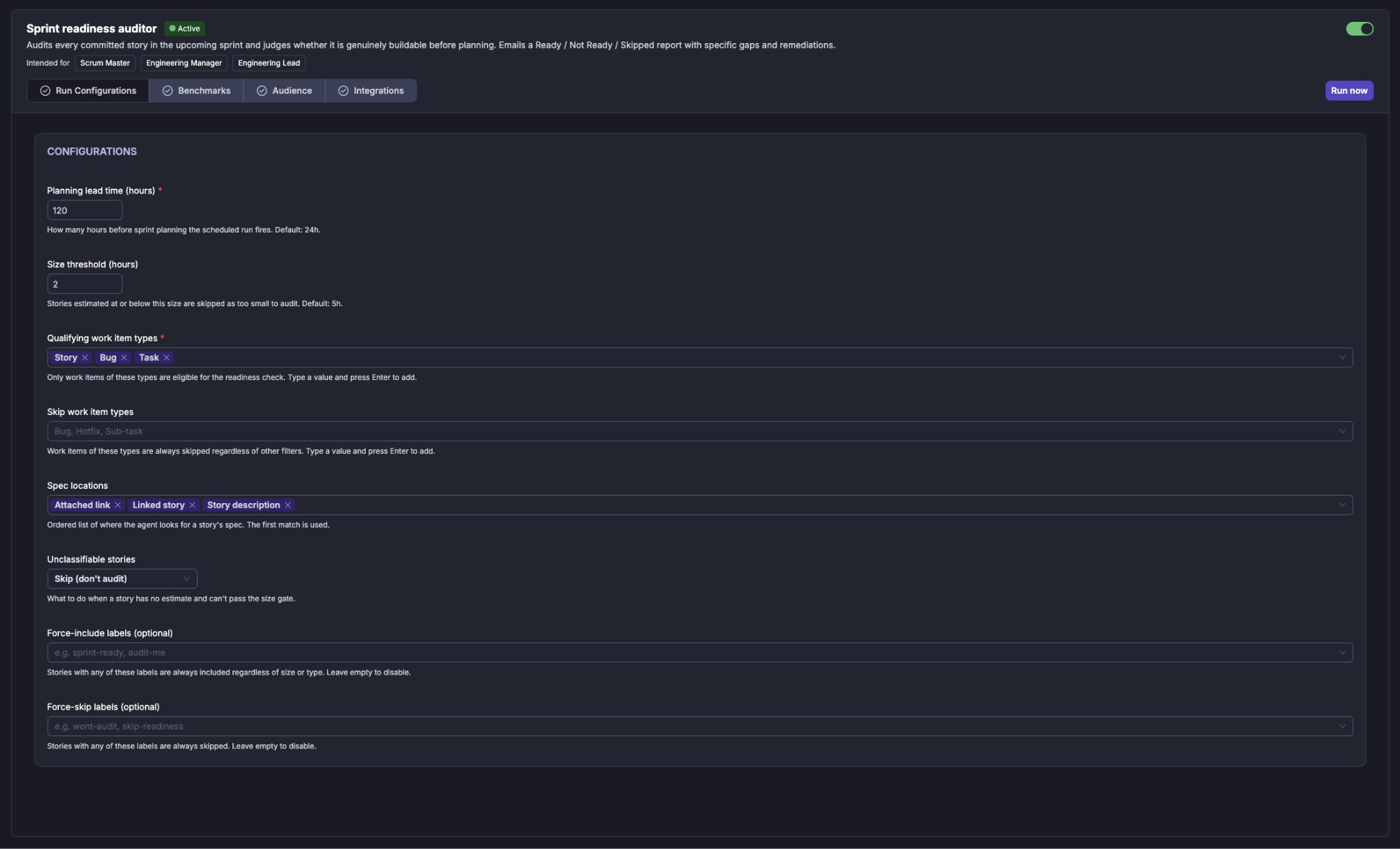
The Run Configurations section controls when the agent runs and how committed stories are evaluated.
Scheduler
Use the Scheduler to enable or disable automatic execution.
The scheduler supports:
Daily
Weekly
Monthly
For a weekly schedule, select the required day.
Scheduled execution is evaluated against the configured planning lead-time window. The agent identifies the upcoming sprint and checks whether its planning date falls within the configured window.
Planning lead time (hours)
Defines how many hours before sprint planning the scheduled audit should run. For example, with a planning lead time of 120 hours, the scheduled audit can run when the upcoming sprint's planning date is within that five-day window.
Manual execution does not require the sprint to be inside this window.
Size threshold (hours)
Defines the minimum estimated size for a story to be considered worth auditing. Stories estimated at or below this threshold are skipped as too small to audit. The implementation documentation specifies a default of 5 hours.
When only story points are available, the implementation uses an approximate conversion of: 1 story point = 4 hours for the size comparison.
Qualifying work item types
Defines which work-item types are eligible for the readiness audit. Only configured qualifying types can proceed through the readiness assessment.
Skip work item types
Defines work-item types that are always excluded. A work item matching a skip type is skipped regardless of its other attributes.
Unclassifiable stories
Defines what happens when a story cannot be classified as a build work item; the implementation supports both skip and include behavior.
Force-include labels
Allows selected labels to override normal qualification rules.
For example: audit-me
Stories with a configured force-include label can be included even when they would otherwise fail normal type or size filtering.
Leave the field empty to disable the behavior.
Force-skip labels
Allows selected labels to exclude stories from the audit.
For example: skip-readiness
Stories carrying a configured force-skip label are always skipped.
Leave the field empty to disable the behavior.
Spec locations
Spec locations configuration defines the locations from which the agent attempts to extract the specification governing a backlog item. The following locations are supported:
Attached link
Story description
Linked story
Parent epic
The readiness decision is based on whether a governing specification can be resolved; it does not currently represent a full assessment of specification quality.
2. Benchmarks
The Benchmarks section allows the team to provide reference material for different requirement types.
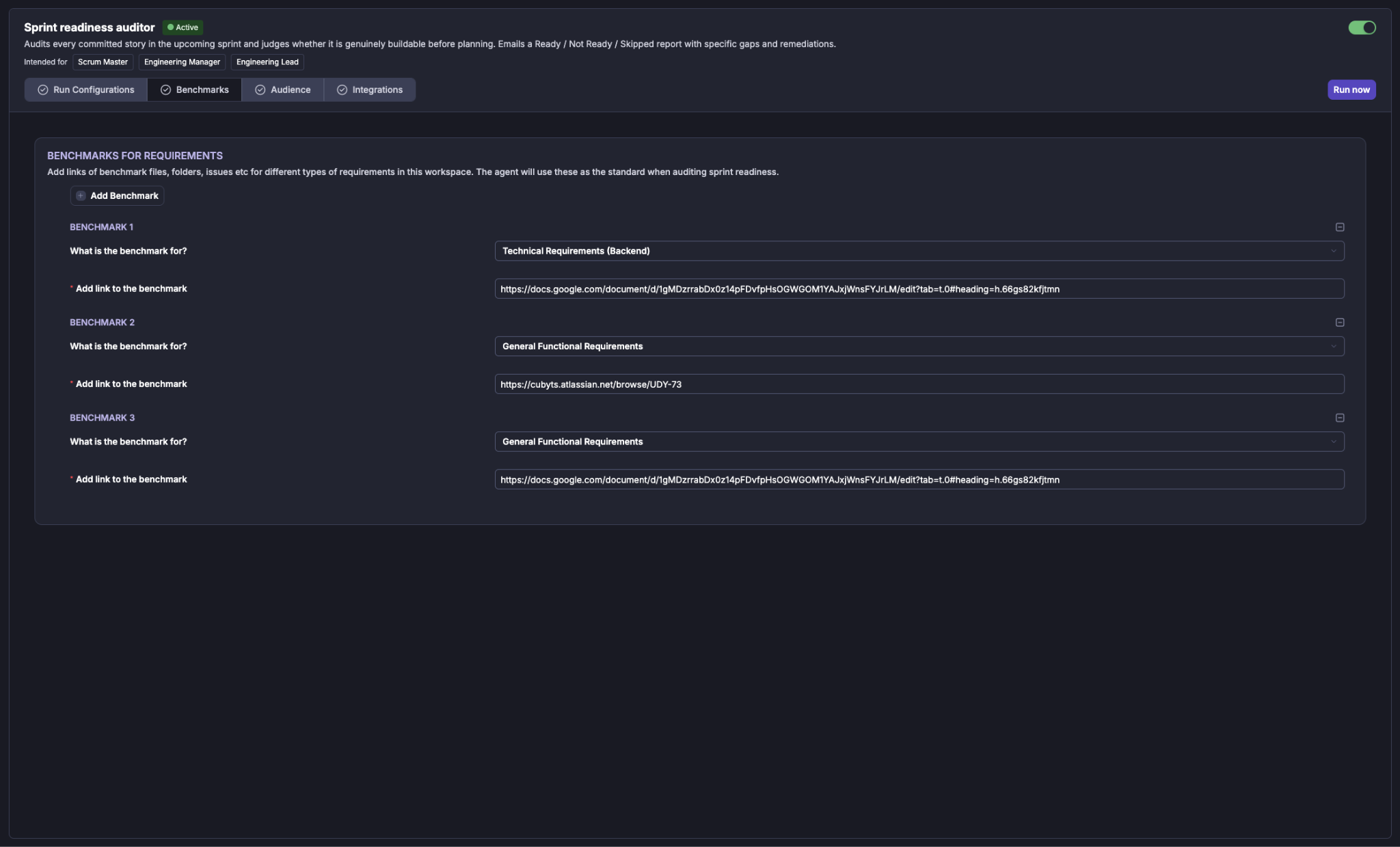
The supplied configuration screen shows benchmark examples for:
Technical Requirements (Backend)
General Functional Requirements
Each benchmark contains:
The type of requirement being benchmarked.
A link to the benchmark reference.
The agent uses these references as the team's standard when auditing sprint readiness.
Add a benchmark
Select Add Benchmark and provide:
What is the benchmark for?
Add link to the benchmark
For example:
The supplied UI supports multiple benchmark entries.
3. Audience
The Audience section determines who receives the results of the agent.
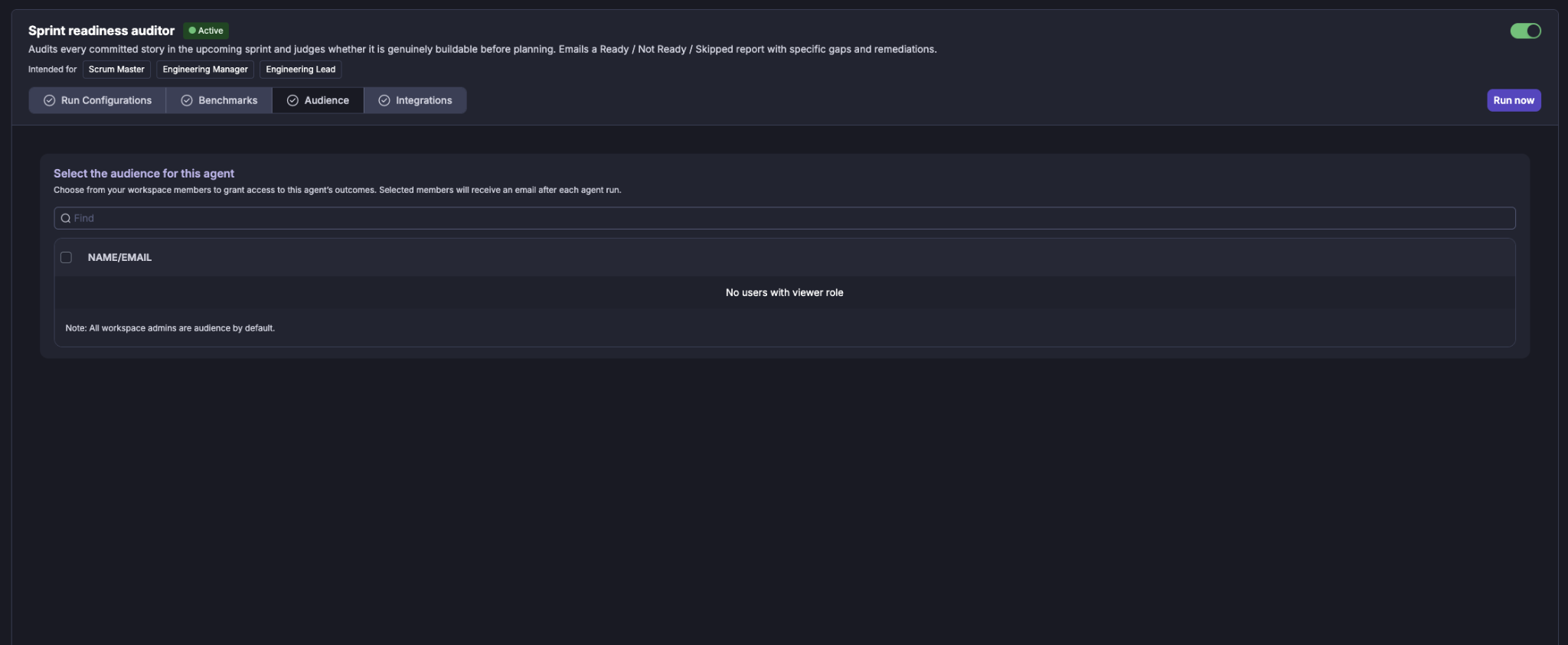
Select the workspace members (Viewers) who should have access to the agent's outcomes. Selected members receive an email after each agent run when email delivery is configured.
Selecting users
Use the Find field to search for a workspace member by name or email. Select the required users using the checkbox next to their name.
Workspace administrators are included as audience members by default.
If there are no users with the required viewer role, the audience list will indicate that no eligible users are available.
4. Integrations
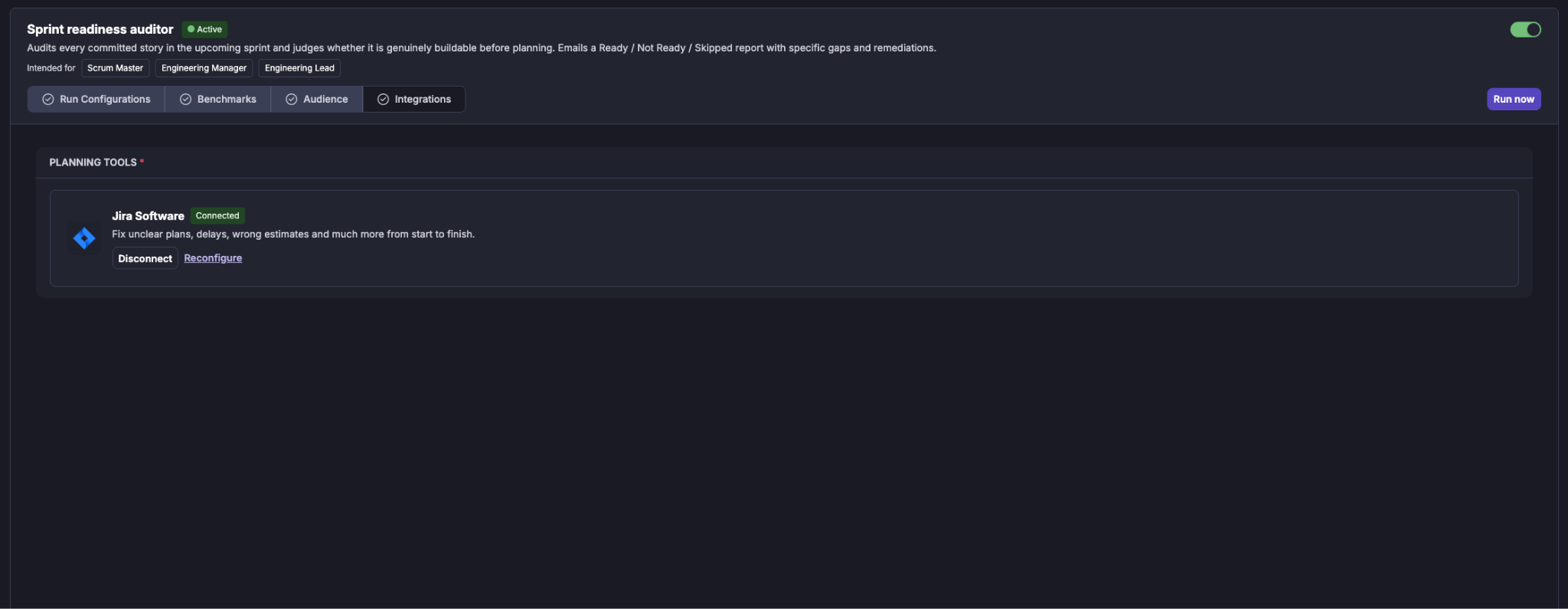
The Integrations section shows the tools required by the agent. The integrations are grouped by purpose.
Planning Tools
For example: Jira Software
The planning integration provides the sprint and story context required by the auditor.
It is used to:
Identify the upcoming sprint.
Retrieve committed stories.
Determine the sprint planning date.
Retrieve story attributes and linked information.
A connected integration is shown with a Connected status.
You can:
Disconnect the integration.
Reconfigure the integration.
The implementation supports planning integrations including Jira and ADO.
Running the Build Candidate Recommender
The agent can be run in two ways:
Scheduled run
When the Scheduler is enabled, the agent runs automatically according to the configured cadence. Scheduled runs are subject to the planning lead-time window.
This makes the auditor useful as part of the regular sprint planning process.
Manual run
A user can initiate an immediate run using Run now.
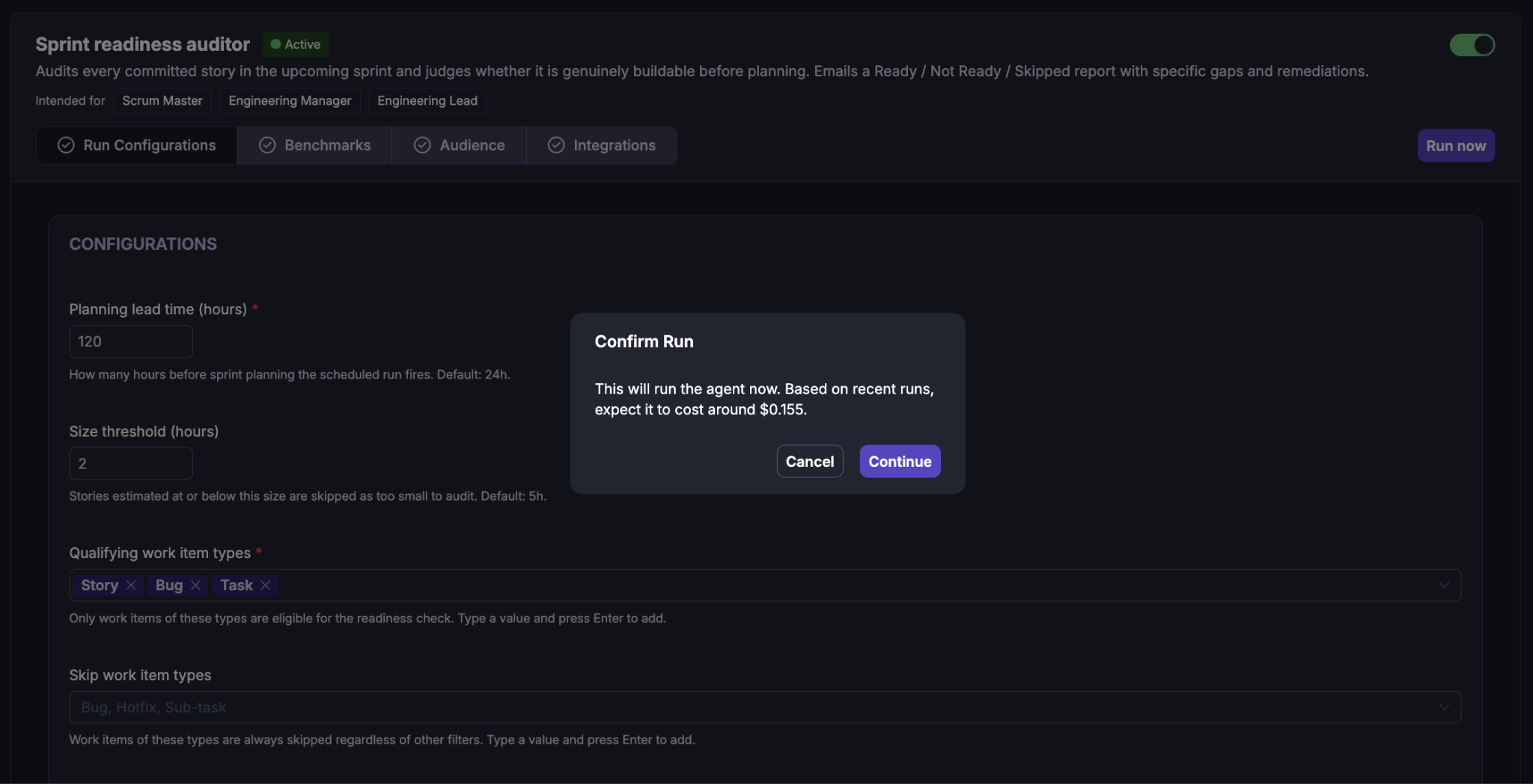
Manual execution does not require the run to be within the configured planning lead-time window.
When Run now is selected, Cubyts displays a confirmation dialog before starting the run. The confirmation includes an estimated execution cost based on recent runs.
The displayed cost is an estimate and is shown before execution.
What happens during a run?
The agent follows a controlled eight-step sequence.
Step 1: Get the upcoming sprint
The agent identifies the upcoming sprint from the configured planning integration and retrieves the committed stories.
For scheduled execution, the planning lead-time condition is applied.
Step 2: Classify stories
The agent applies a deterministic classification gate.
The checks are applied in order:
Skip work-item types.
Qualifying work-item types.
Skip-label filter.
Include-label filter.
Size threshold.
Specification presence.
Stories that pass all six checks become qualified. Stories that fail any check are Skipped with a reason.
This classification is deterministic; the LLM does not decide whether a story passes the initial qualification gate.
Step 3: Resolve specifications
For every qualified story, the agent searches for its governing specification using the configured specification locations.
Supported locations include:
Attached link
Story description
Linked story
Parent epic
The locations are evaluated in the configured order, and the first resolvable location is used.
Step 5: Assemble story context
The information collected for each qualified story is brought together so that the readiness decision can consider the specification, design, dependency, and acceptance-criteria evidence together.
Step 6: Judge build readiness
The LLM evaluates the qualified story across the six readiness dimensions.
The result is: ready,not_ready
The assessment also produces gaps and remediation suggestions where applicable.
Step 7: Check execution mode
If the run is a Preview, the agent stops before sending the report.
For a real run, the report is prepared for dispatch.
Step 8: Generate and send the report
The final report combines:
Readiness verdicts.
Classified skipped stories.
Summary counts.
Coverage notes.
For a real run with recipients configured, the report is sent by email.
Understanding the Sprint Readiness Report
The report consolidates the stories evaluated for the upcoming sprint and the reasoning behind each readiness verdict.
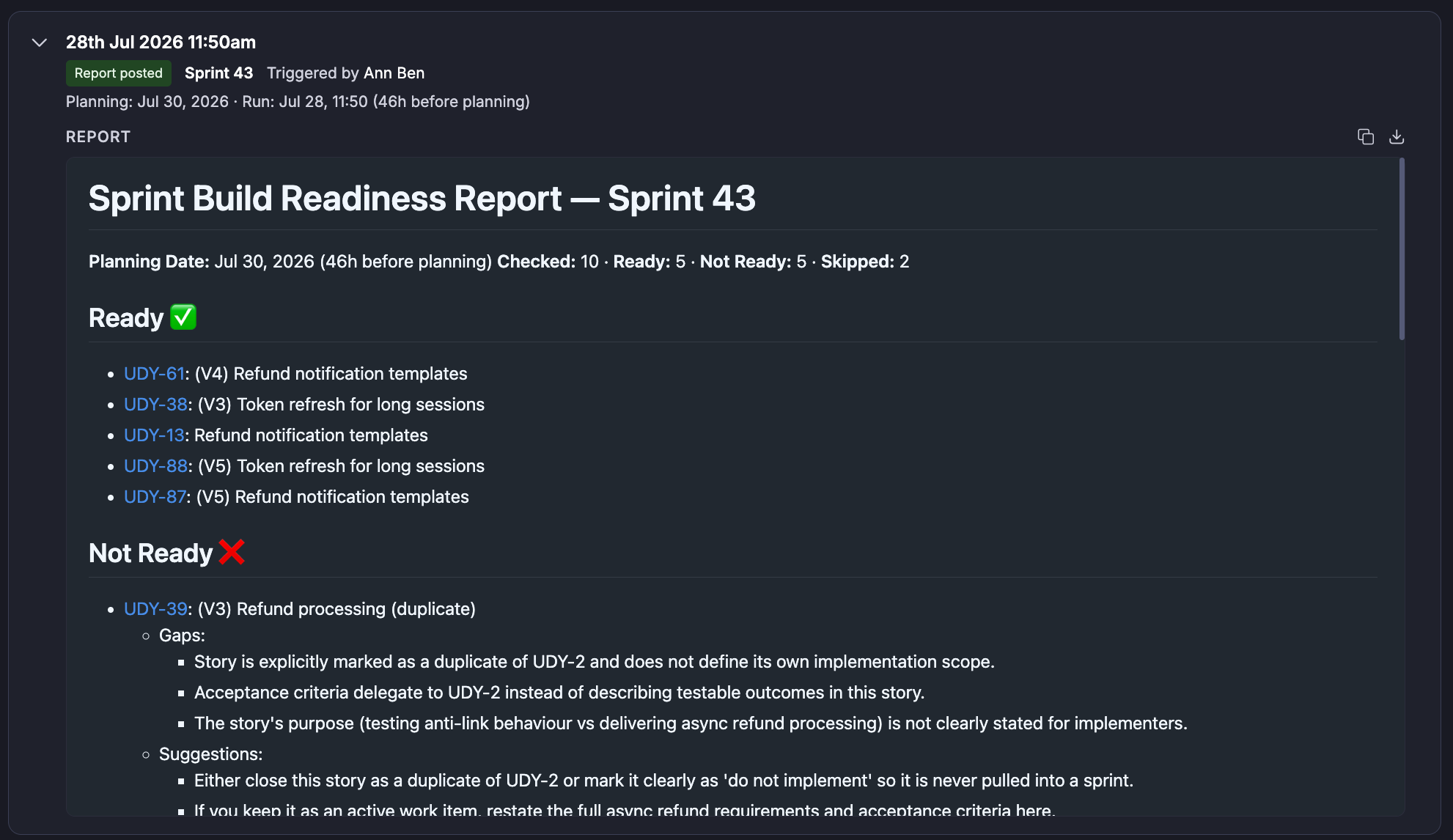
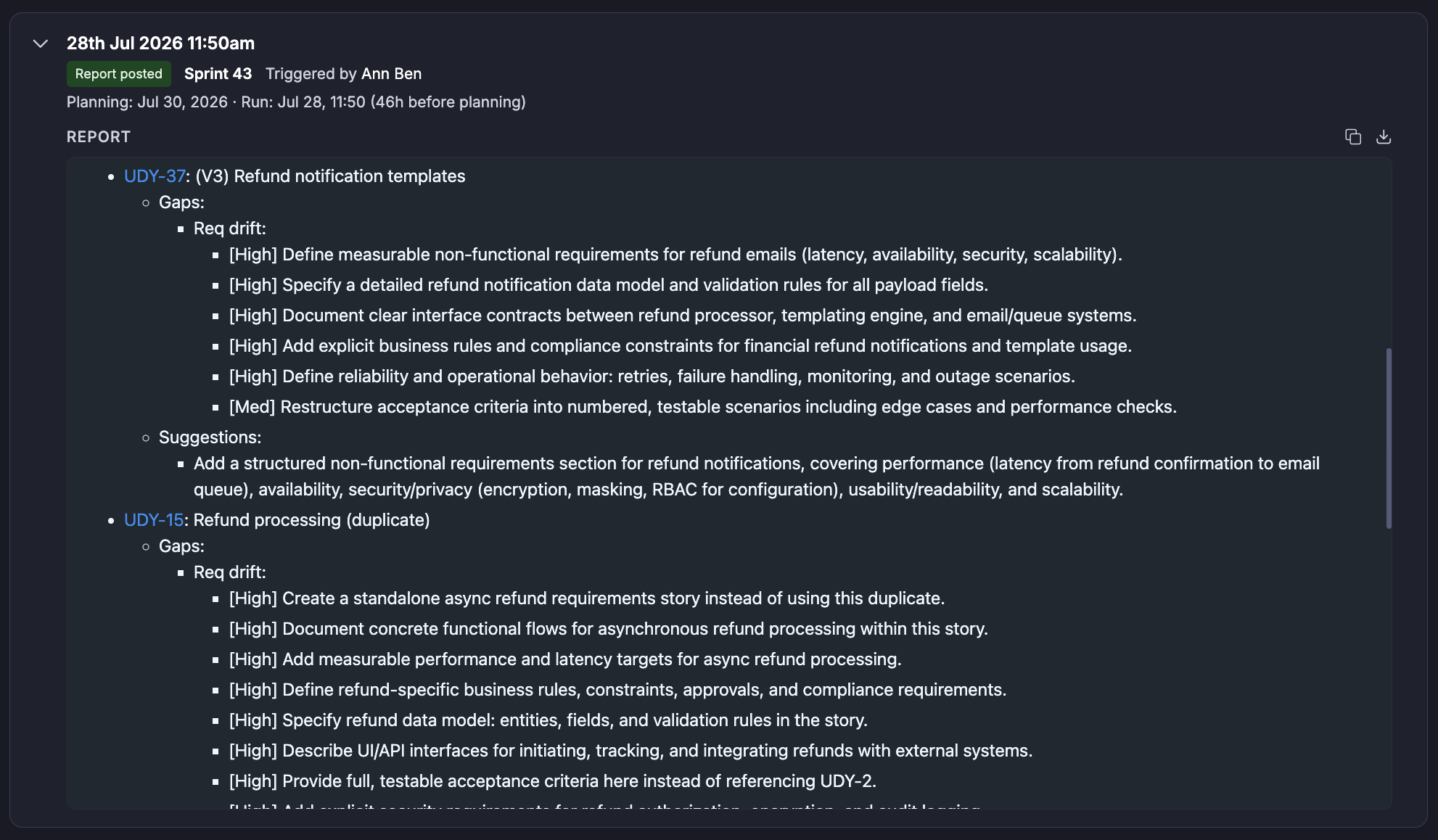

The report contains:
For each evaluated story, the report can provide:
Story key
Story title
Verdict
Specification location
Specification quality baseline
Design quality
Gaps
Suggestions
Skipped stories are grouped with their skip reason.
Understanding the recommendation
Sprint Build Readiness Auditor is intended to support a sprint planning decision, not replace the Scrum Master or Engineering Lead's judgment.
A story may be Not Ready because of a combination such as:
Below-bar specification + incomplete acceptance criteria + unresolved dependency
Another story may be Ready because the available specification, design, dependency, and acceptance-criteria evidence provides sufficient confidence for implementation.
The report therefore explains the readiness gaps rather than treating the verdict as an automatic commitment decision.
This section is important because readiness should be interpreted in the context of the quality and completeness of the underlying sprint data.
Skip conditions
The agent can skip a run when there is no useful scope to evaluate or when execution prerequisites are not satisfied.
Individual stories can also be skipped because of:
Skip work-item type.
Non-qualifying work-item type.
Force-skip label.
Missing required force-include label.
Estimate at or below the size threshold.
Missing estimate when unclassifiable stories are configured to skip.
No specification signal.
Important boundaries
Sprint Build Readiness Auditor is an advisory and reporting agent.
The agent does not:
Modify Jira or ADO work items.
Modify specifications.
Modify design artefacts.
Modify code.
Change story priorities.
Add stories to a sprint.
Resolve dependencies.
Automatically change sprint commitments.
Automatically change backlog decisions.
The engineering team remains responsible for deciding whether a story should remain committed to the sprint.
Summary
Sprint Build Readiness Auditor gives Scrum Masters, Engineering Managers, and Engineering Leads an evidence-based view of whether committed sprint stories are genuinely ready for execution.
It combines:
Deterministic story qualification
Specification resolution
Requirement benchmarks
Specification quality
Design quality
Dependency information
Acceptance-criteria assessment
LLM-based readiness judgment
to produce a structured Ready / Not Ready / Skipped report, while separately surfacing qualified stories that could not be reviewed.
The result is not simply a list of stories that passed or failed a checklist. It is a decision-support report that explains:
Which stories are ready, which stories are not ready, why they are not ready, and what should be addressed before development begins.
In simple terms: Sprint Build Readiness Auditor helps engineering teams make sprint planning more evidence-driven by identifying readiness gaps before committed stories reach development.
Was this article helpful?
That’s Great!
Thank you for your feedback
Sorry! We couldn't be helpful
Thank you for your feedback
Feedback sent
We appreciate your effort and will try to fix the article