In this Help article, we will guide you through setting up the Atlas Knowledge Graph and configuring domains, code areas, common code areas, and branch selection.
What is Atlas?
Atlas is the knowledge graph agent that builds a connected symbol graph by connecting code repositories, planning tools, and requirements systems.
The graph maps:
Code areas
Domains
Impact radius
Stories
Epics
Tasks
Documents
The graph serves as the foundation context layer for Governance agents and MCP tools, enabling coding agents to access relevant organizational and software context.
1. Domains and Code Areas
Atlas automatically analyzes the connected repositories and identifies domains and code areas.
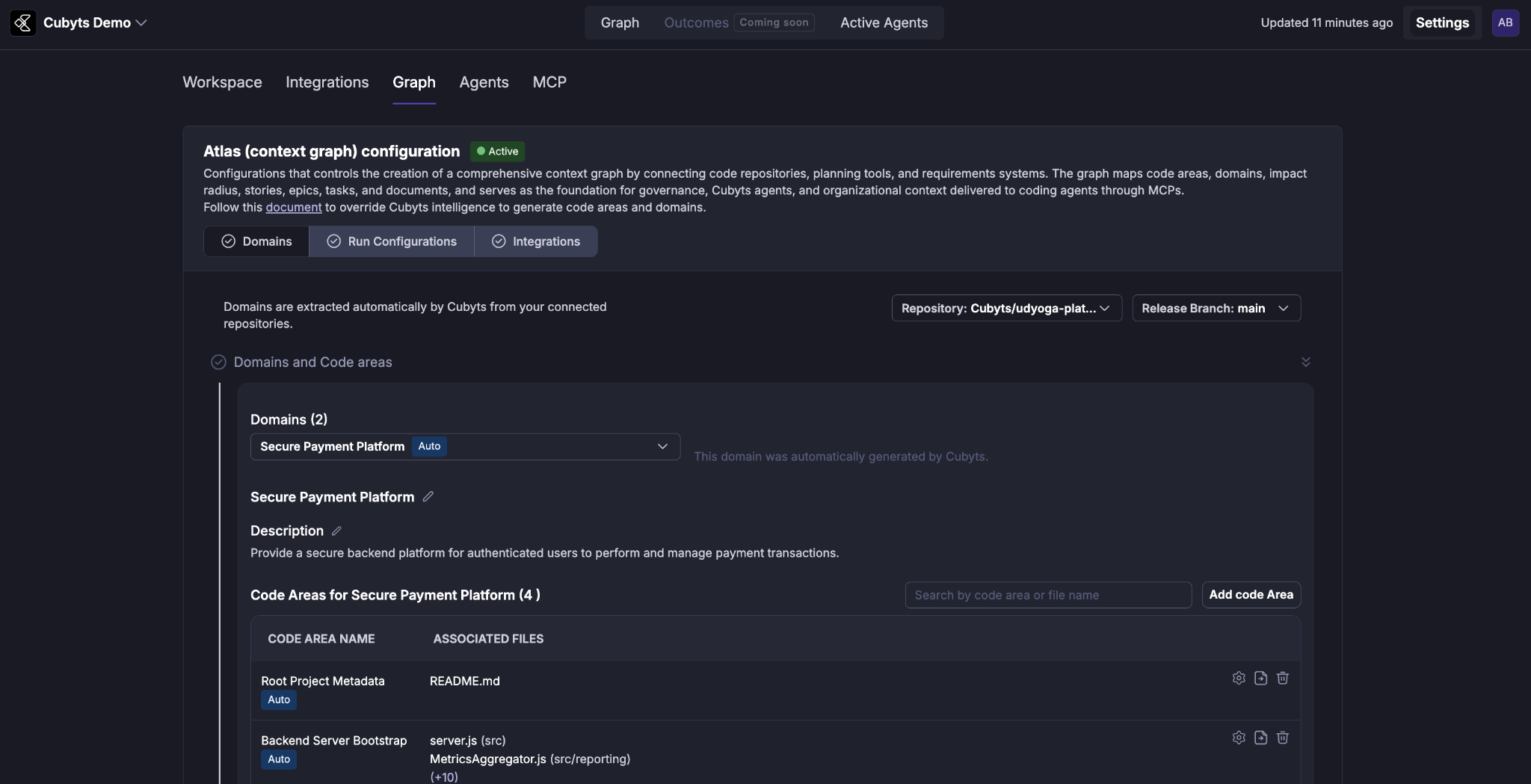
 Domains
Domains are logical groupings of code areas. They help governance agents and MCP tools understand:
How the codebase is structured
Which code areas belong to the same logical business or technical domain
Which files and components come together to solve a particular problem
Domains are extracted automatically from the connected repositories.
Code Areas
Code areas are logical groupings of files within the codebase.
Atlas automatically discovers groups of files that work together to solve a logical problem statement across the connected repositories.
2. Review and Manage Code Areas
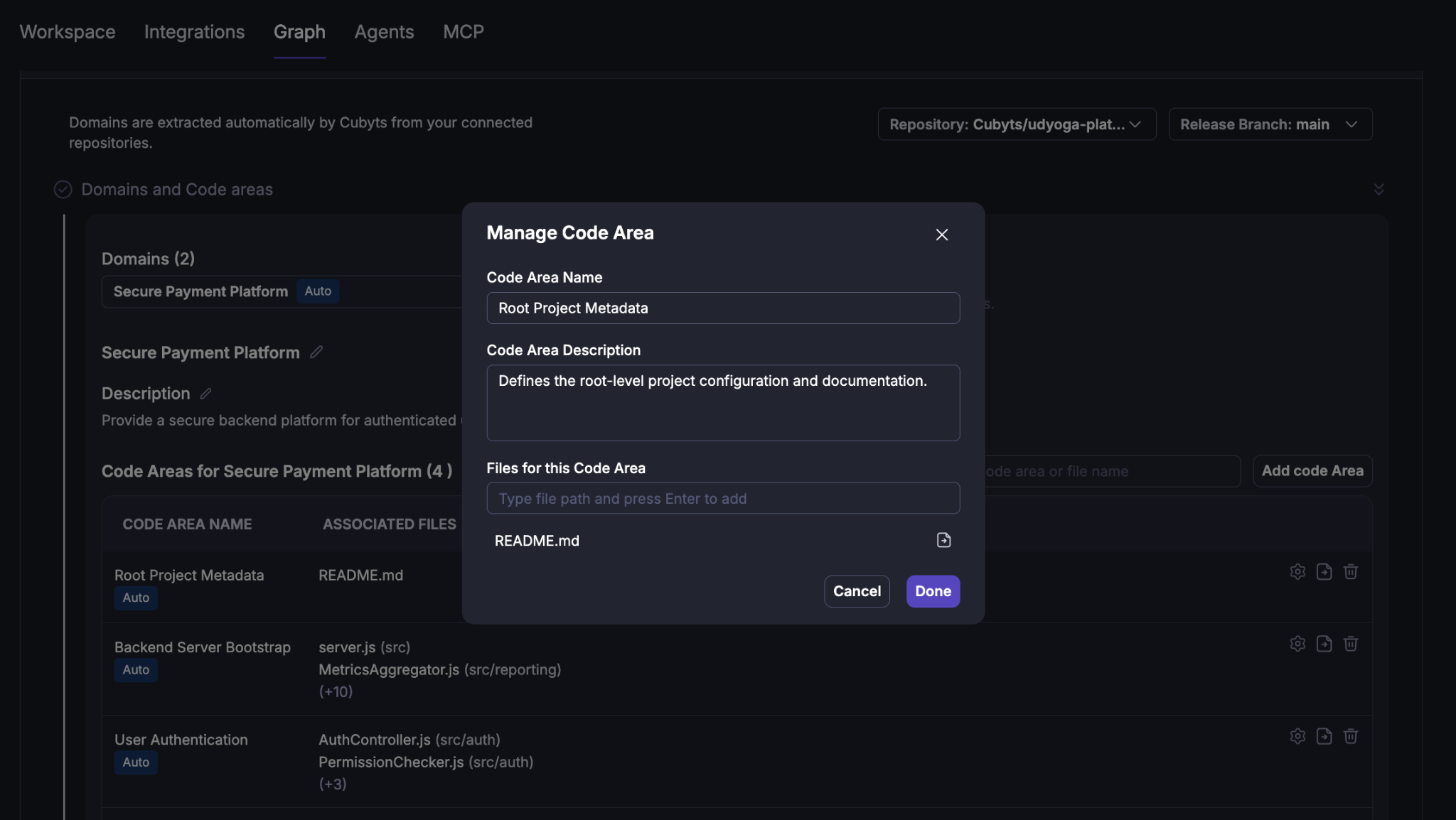
After Atlas completes its analysis, you can review the generated domains and code areas from the Graph → Domains section.
For each code area, you can view:
Code area name
Description
Associated files
The domain to which the code area is assigned
Atlas allows human experts to override its recommendations when required.
Move files between code areas
You can manually move files assigned to one code area to another code area.
Once a code area assignment is manually updated, Atlas respects the human decision and does not reassign those files through subsequent automatic processing.
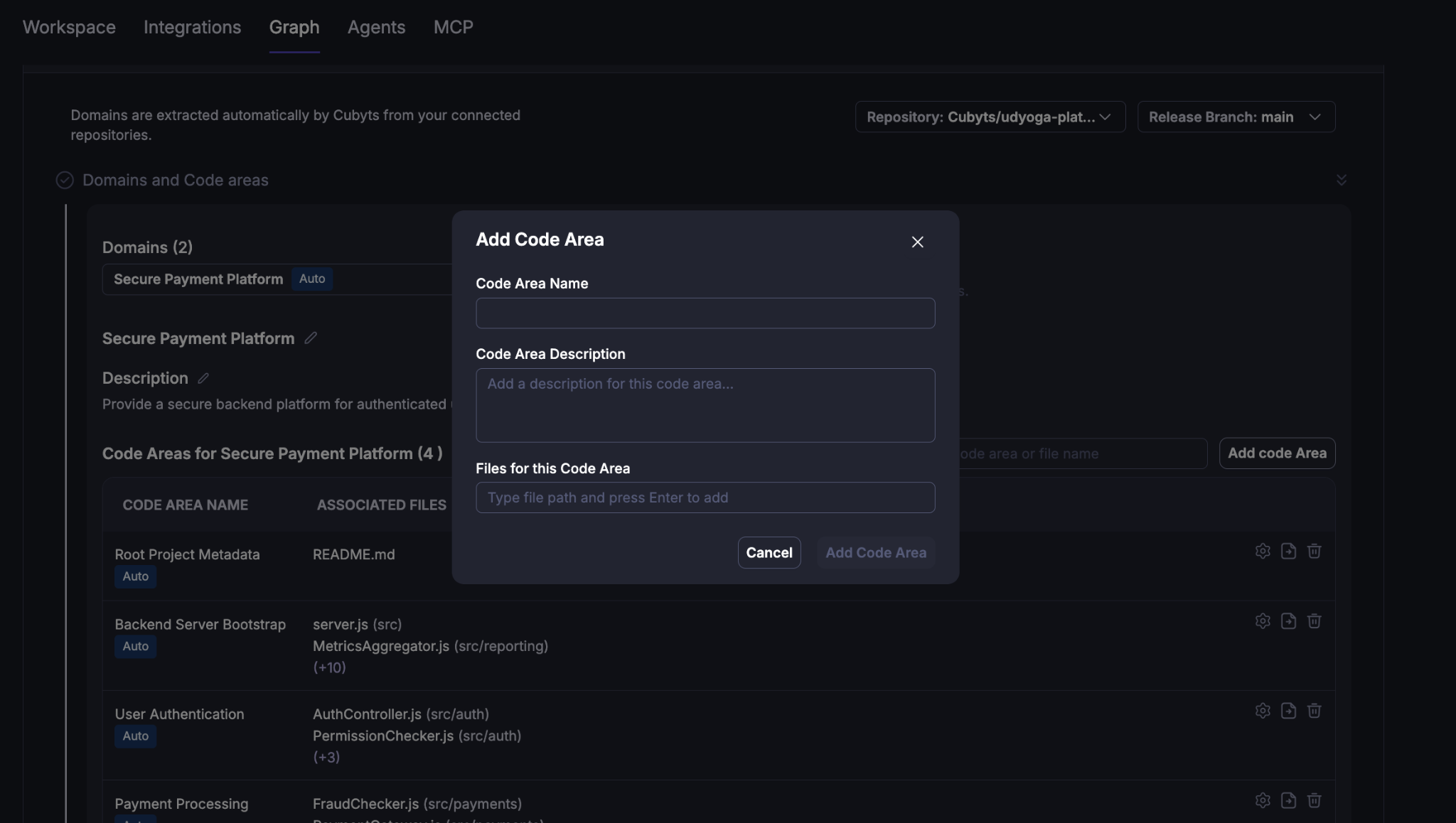
Create a code area
You can create a new code area and manually assign file paths to it.
Once created and configured manually, Atlas respects the human-defined assignment and does not automatically reassign the configured files.
3. Manage Domains
You can also manually change the domain structure generated by Atlas.
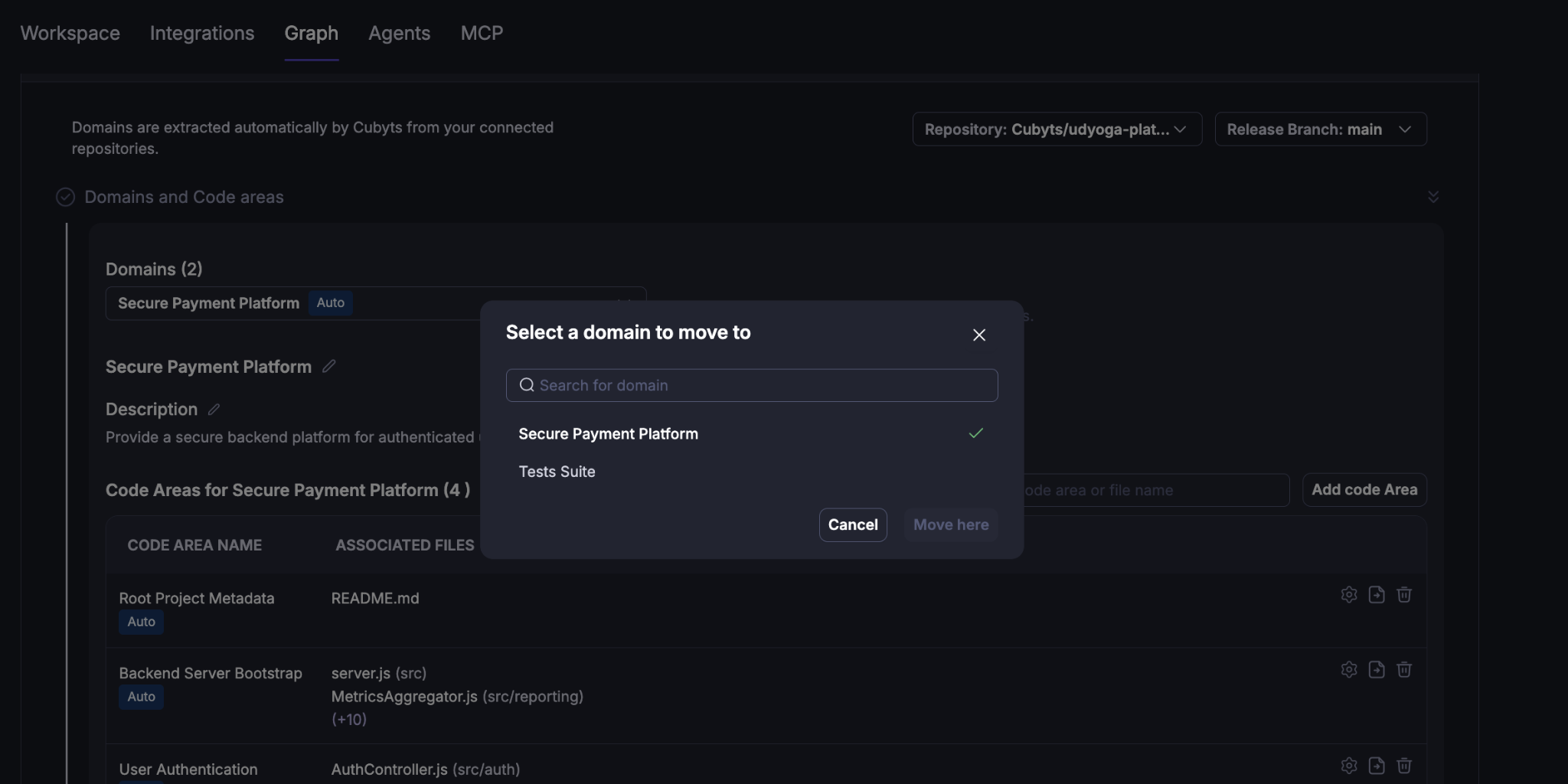
Move a code area to another domain
A code area can be moved from its current domain to another domain.
Once the change is made manually, Atlas respects the human decision and does not automatically reassign that code area in subsequent processing.
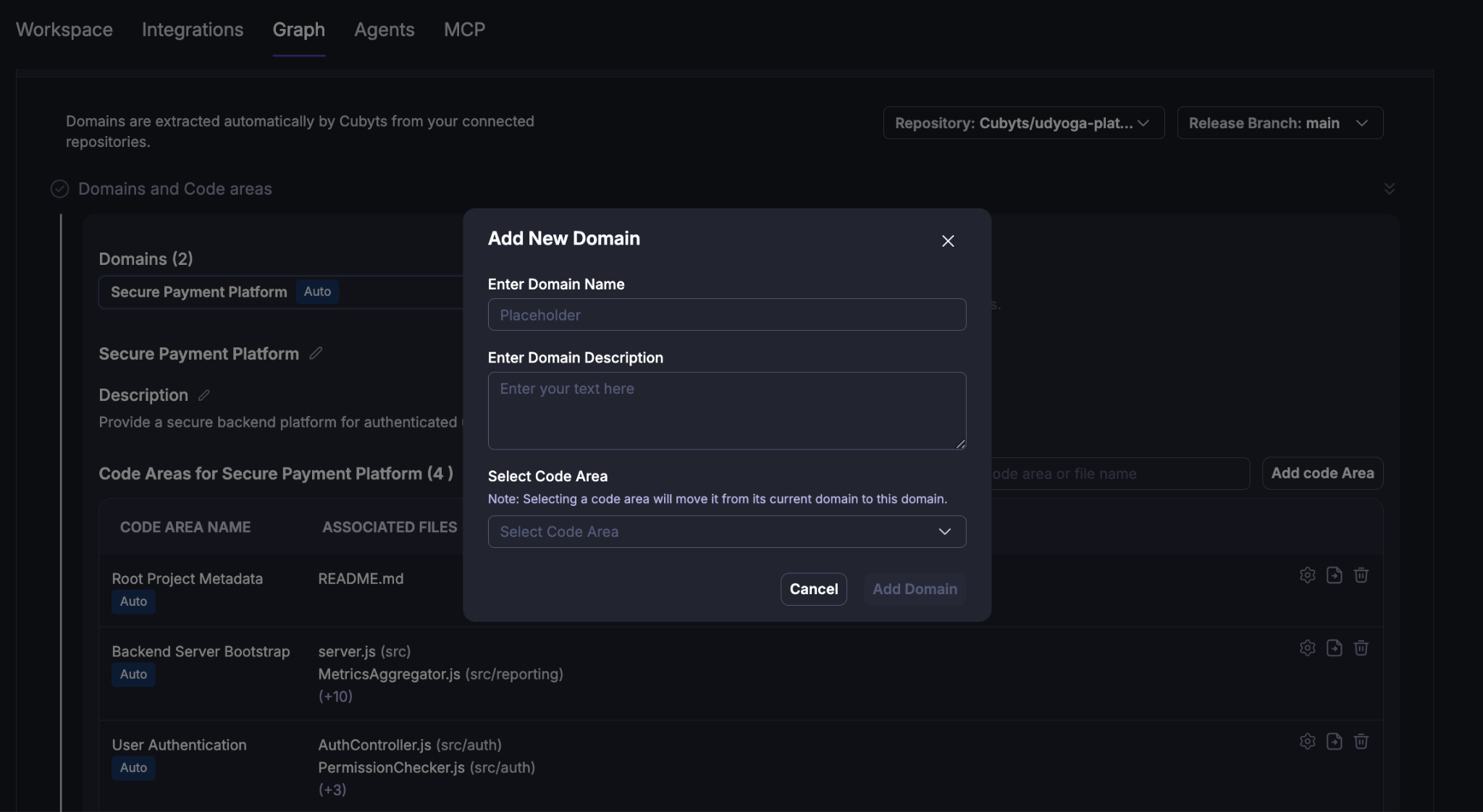
Create a new domain
You can create a new domain and move existing code areas into it.
This allows organizations to customize the automatically generated domain structure based on their understanding of the application's business or technical architecture.
Note: Manually overridden domain and code-area assignments are treated as human-expert decisions and are not subsequently changed by Atlas's automatic assignment algorithms.
4. Common Code Areas
Common code areas are reusable groups of files that are shared across multiple code areas.
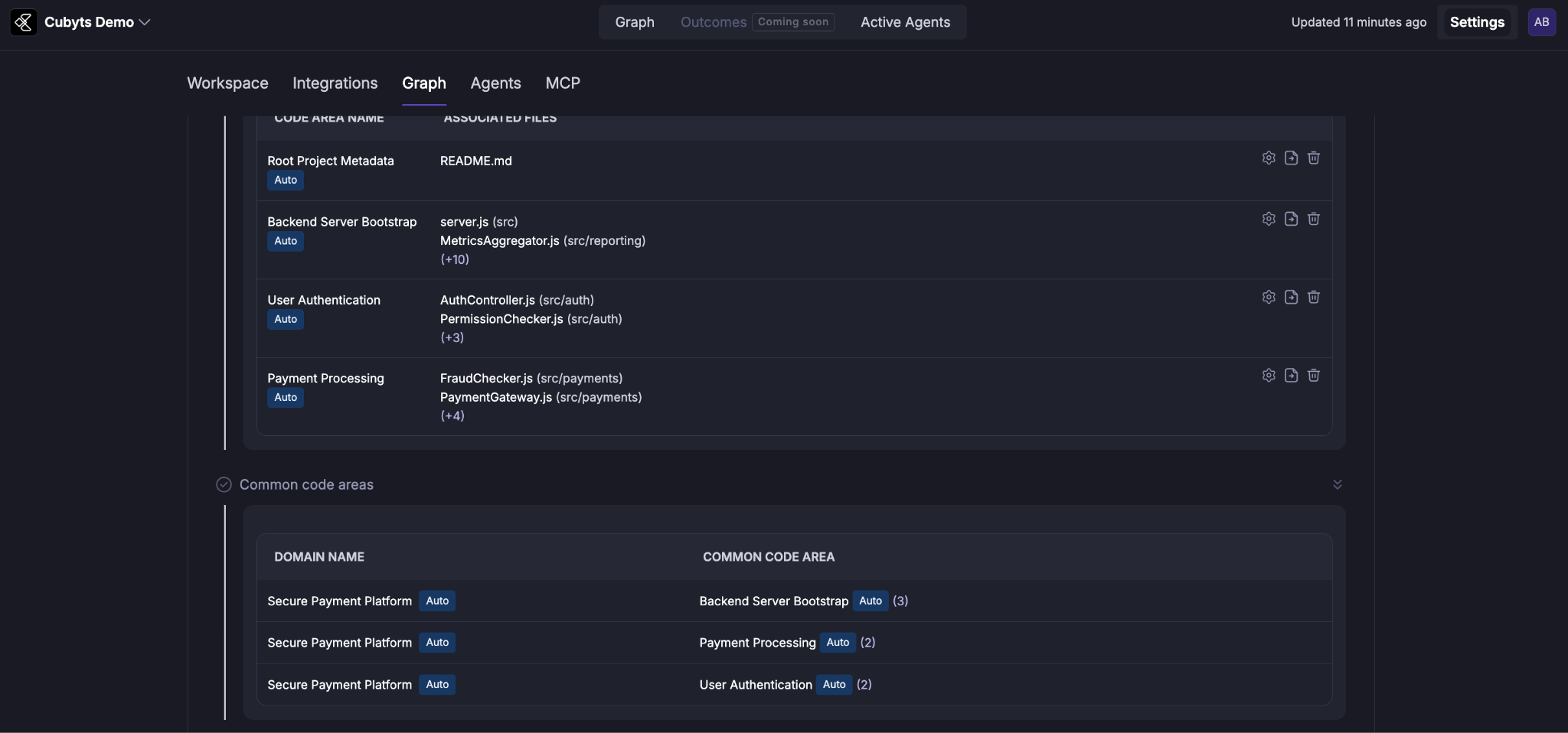
Unlike regular code areas, common code areas can overlap with other code areas. In simple terms, they represent reusable code that other parts of the application depend on.
For example, a shared authentication or utility component may be used by multiple functional areas of an application.
Atlas identifies common code areas based on the code area threshold configured in the Atlas run configuration.
Configure the common code area threshold
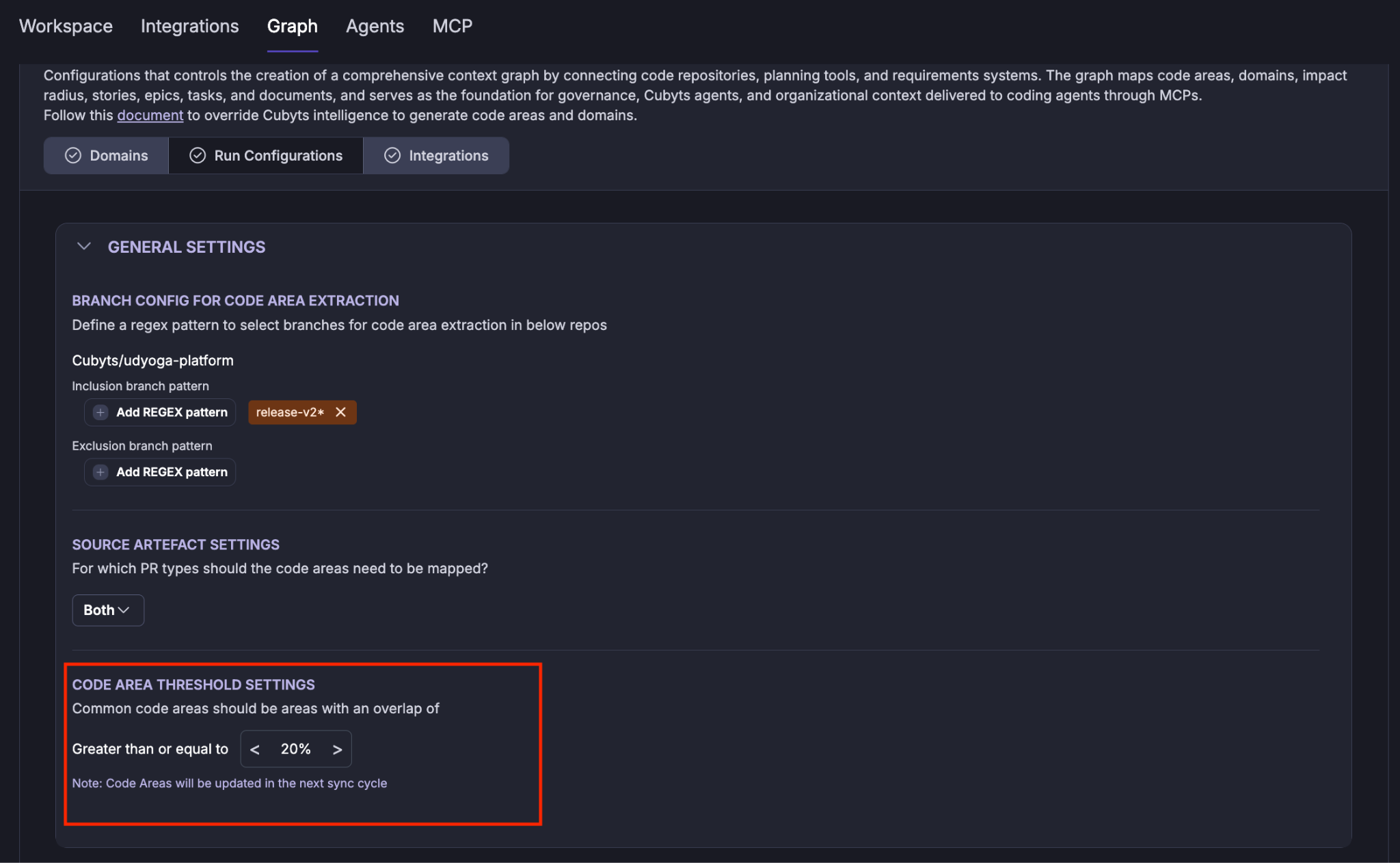
The threshold determines when a code area is considered common based on its overlap with other code areas.
The setting is available under:
Graph → Run Configurations → Code Area Threshold Settings
For example, the configuration shown in the documentation identifies code areas with an overlap greater than or equal to the configured threshold as common code areas.
5. Unmapped Code Areas
An unmapped code area is a code area that is not currently associated with any domain.
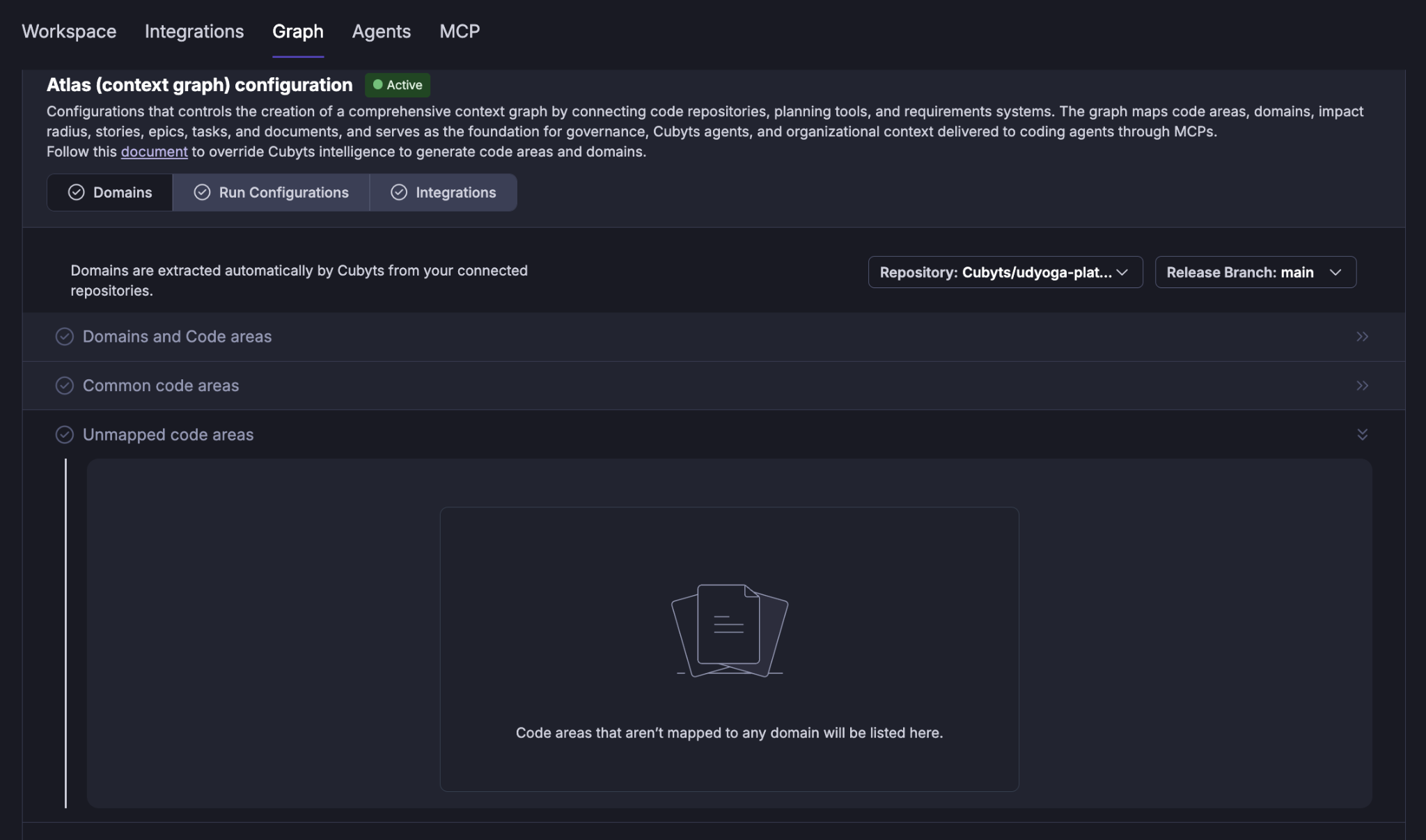
You can review unmapped code areas from:
Graph → Domains → Unmapped Code Areas
This section helps identify code areas that require further review or manual domain assignment.
6. Configure Branches for Code Area Extraction
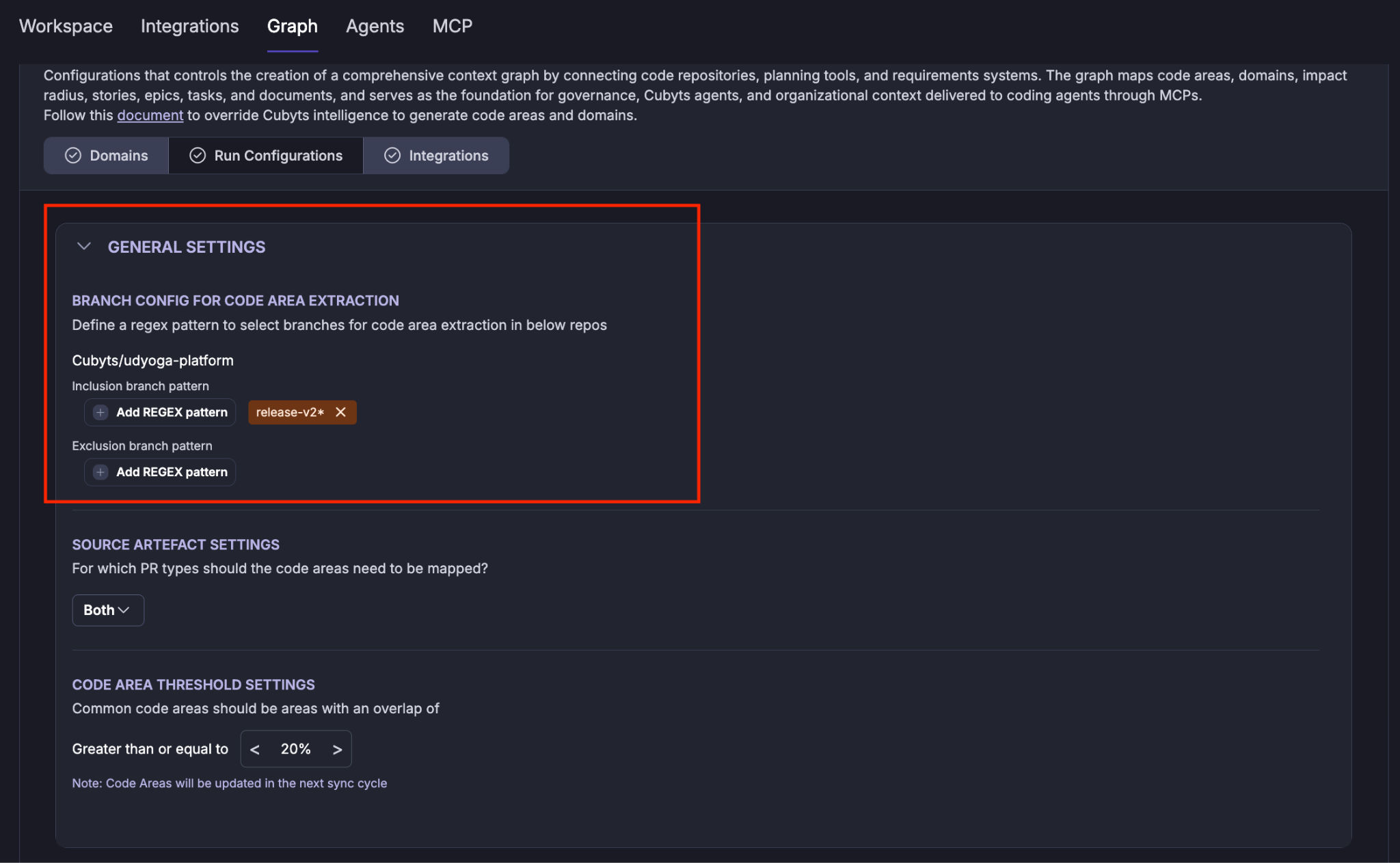
By default, Atlas extracts code areas from the main branch.
However, organizations that use long-running release branches or dedicated feature branches may want code-area analysis to be based on specific branches instead.
Atlas provides Branch Configuration for Code Area Extraction to support this requirement.
Navigate to:
Graph → Run Configurations → General Settings → Branch Config for Code Area Extraction
Include specific branches
You can configure patterns to identify the branches that should be included in code-area extraction.
For example, an organization may choose to analyze only release branches rather than the default main branch.
This is particularly useful for organizations that maintain long-running releases with dedicated release branches and want the graph to represent the code associated with those releases.
Note: Users can selectively exclude branches from the extracted list of branches based on the configured patterns by adding them in the exclusion list in the “Domains” tab.
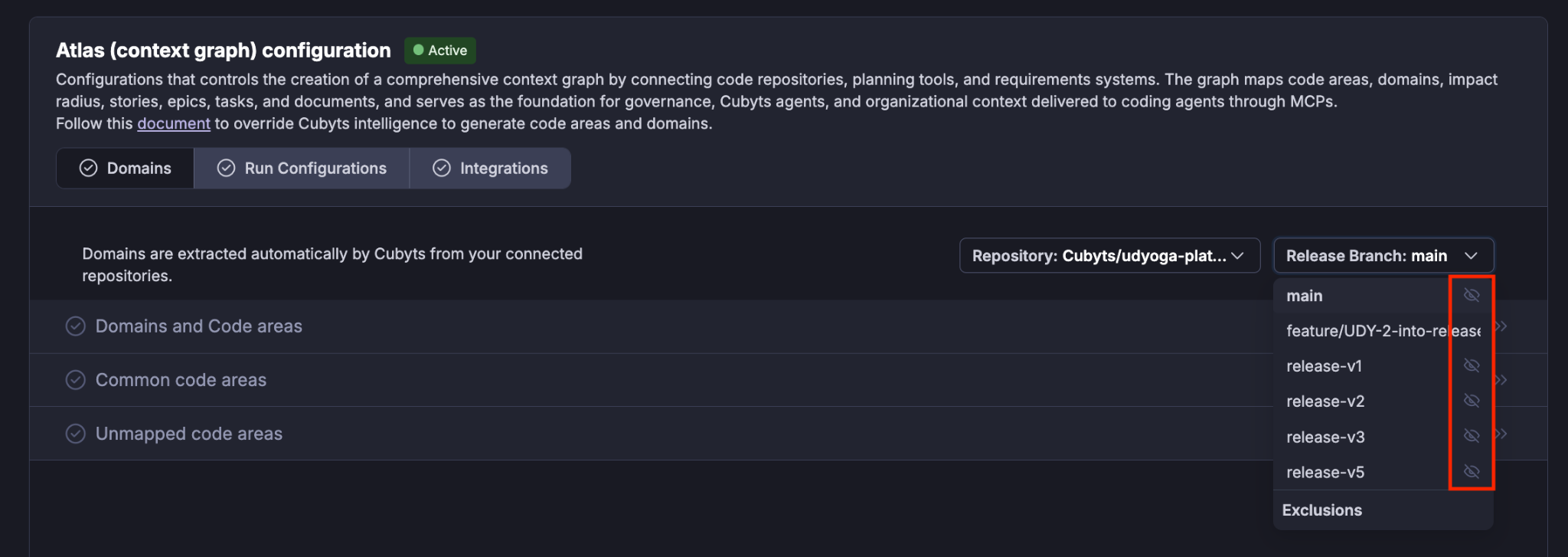
Exclude branches
You can also configure exclusion patterns for branches that should not be considered during code-area extraction.
This allows you to fine-tune the set of branches used by Atlas.
7. Custom Code Area Extraction
Atlas-generated domains, code areas, and common code areas can be overridden using a custom code area extraction configuration.
This provides organizations with greater control when the automatically generated structure does not fully represent their preferred application architecture.
For information on configuring rules-based domains and code areas, see:
Graph Set-up – Customised Set-up for Rules-based Domains and Code Areas
Was this article helpful?
That’s Great!
Thank you for your feedback
Sorry! We couldn't be helpful
Thank you for your feedback
Feedback sent
We appreciate your effort and will try to fix the article