Overview
This document explains how to configure Zendesk API access and generate API tokens for integrations using Zendesk Admin Center.
Cubyts integrates with Zendesk using Zendesk APIs to enable data synchronization, workflow automation, and context-aware integrations.
To enable the integration, Zendesk administrators must:
Enable Zendesk API access
Enable API token access
Generate an API token for integration
Securely share the generated credentials with the integration platform
⚠️ Note
Only Zendesk administrators with appropriate permissions can manage API access and generate API tokens.
Enable Zendesk API Access
Navigate to:
Admin Center → Apps and Integrations → APIs → API Configuration
Enable:
Allow API token access
Click:
Save
This enables integrations that authenticate using Zendesk API tokens.
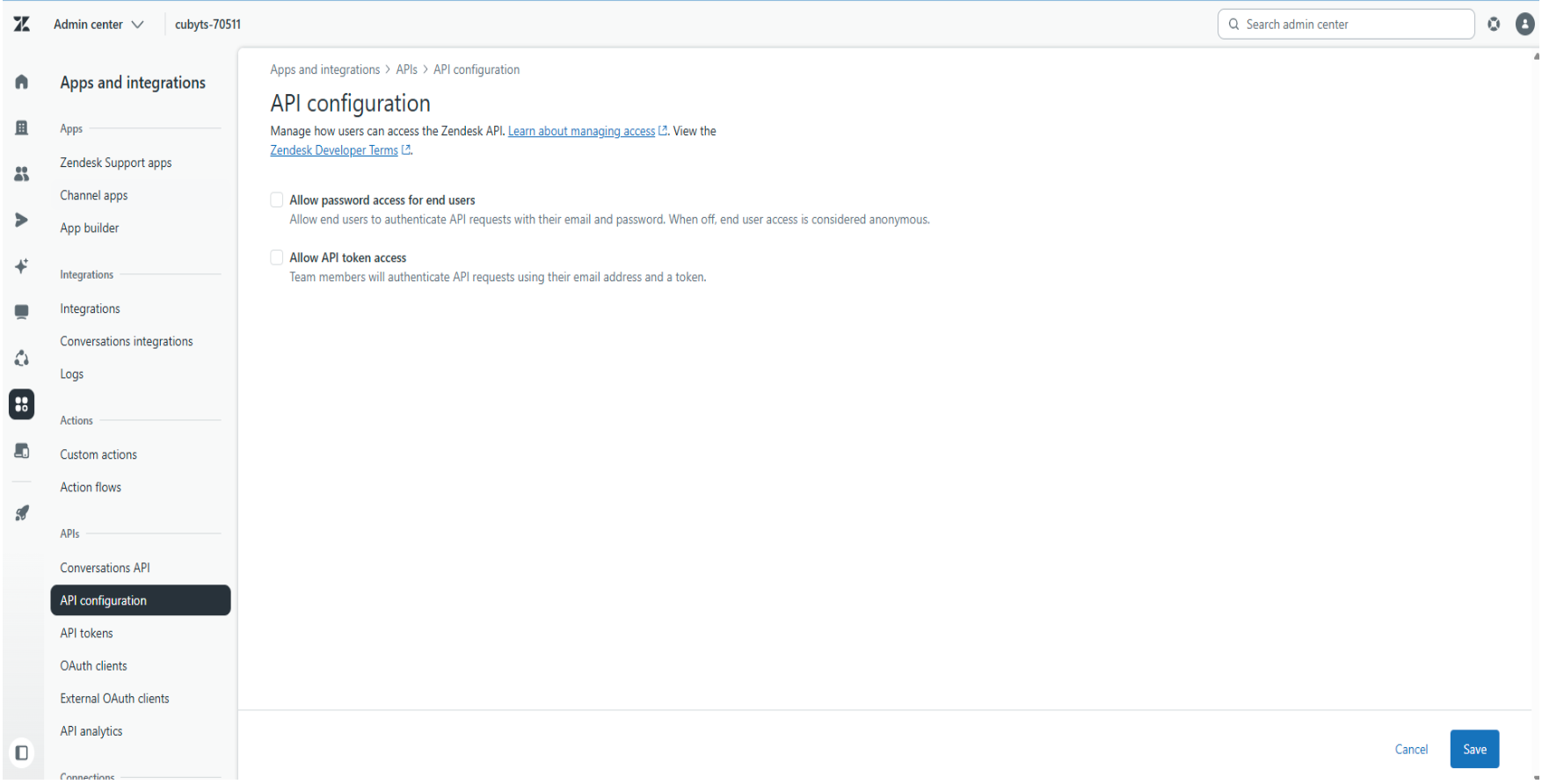
API Token Access Warning
If API token access is disabled:
Zendesk displays a warning message on the API Tokens page
API tokens cannot be generated
External integrations using API tokens will not function
To proceed with integration setup, API token access must be enabled first.
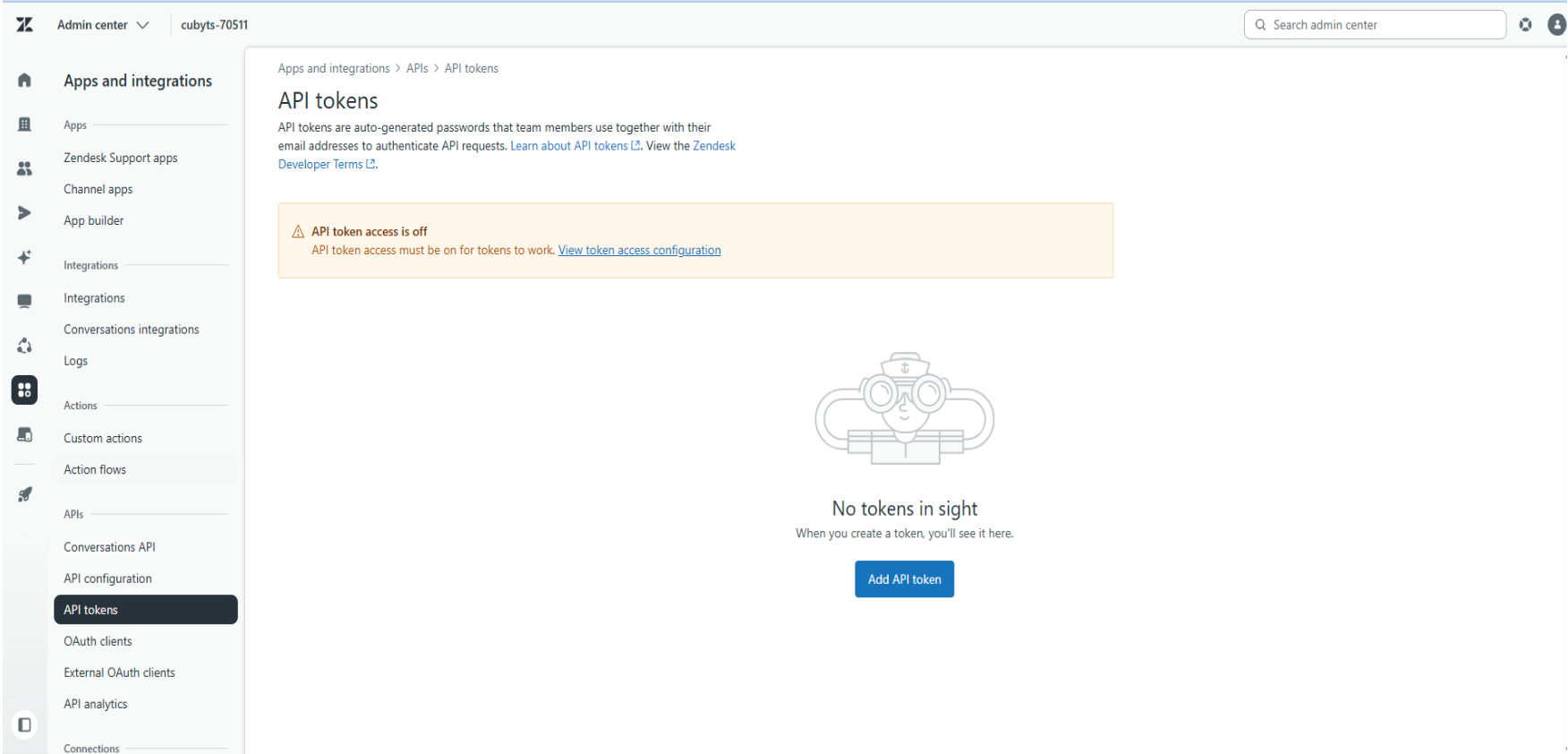
Enable API Token Access
After API access is enabled, administrators can create API tokens for:
Backend systems
Automation workflows
Third-party integrations
Context and synchronization platforms
Navigate to:
Admin Center → Apps and Integrations → APIs → API Configuration
Ensure the following option is enabled:
Allow API token access
Click:
Save
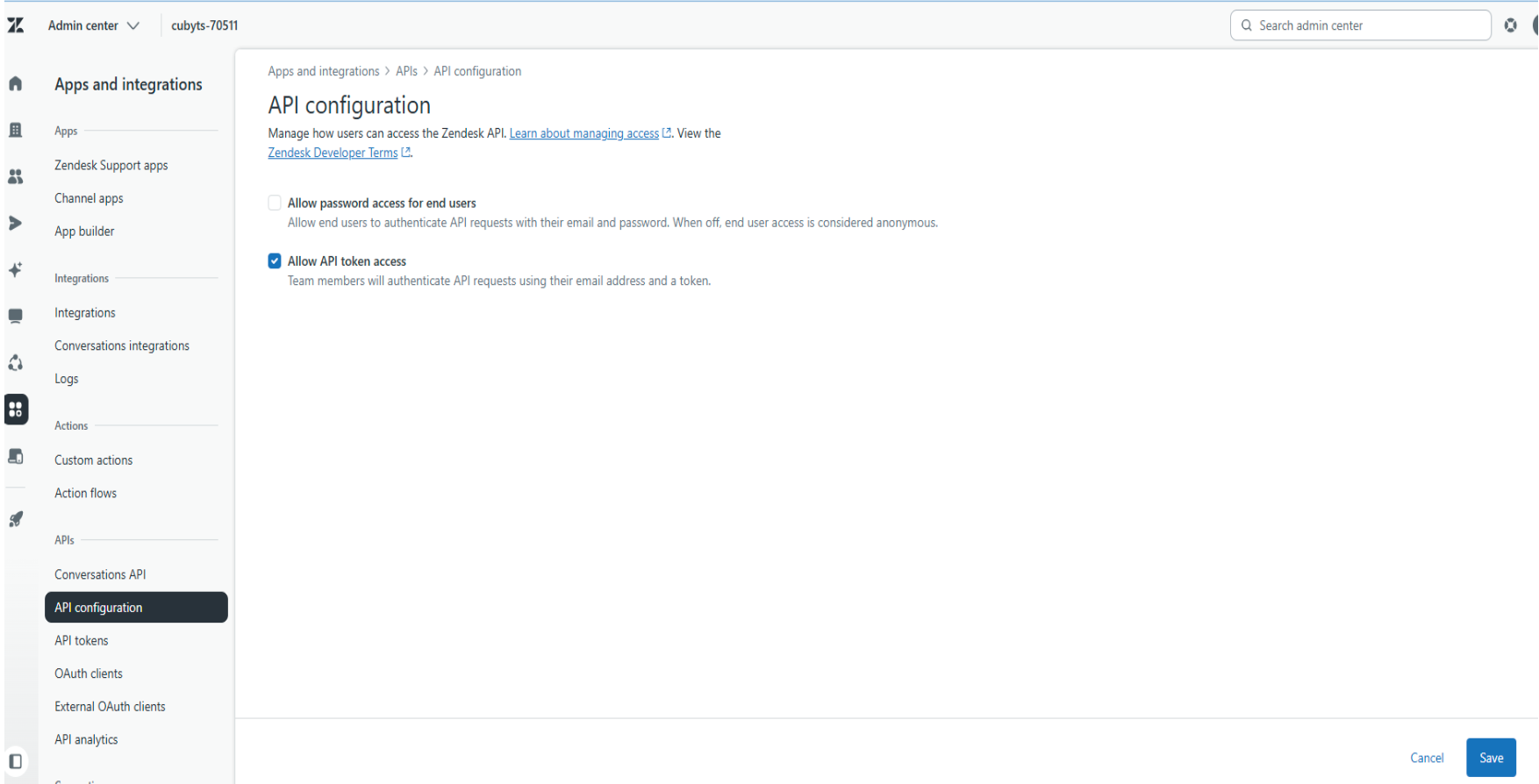
Generate an API Token
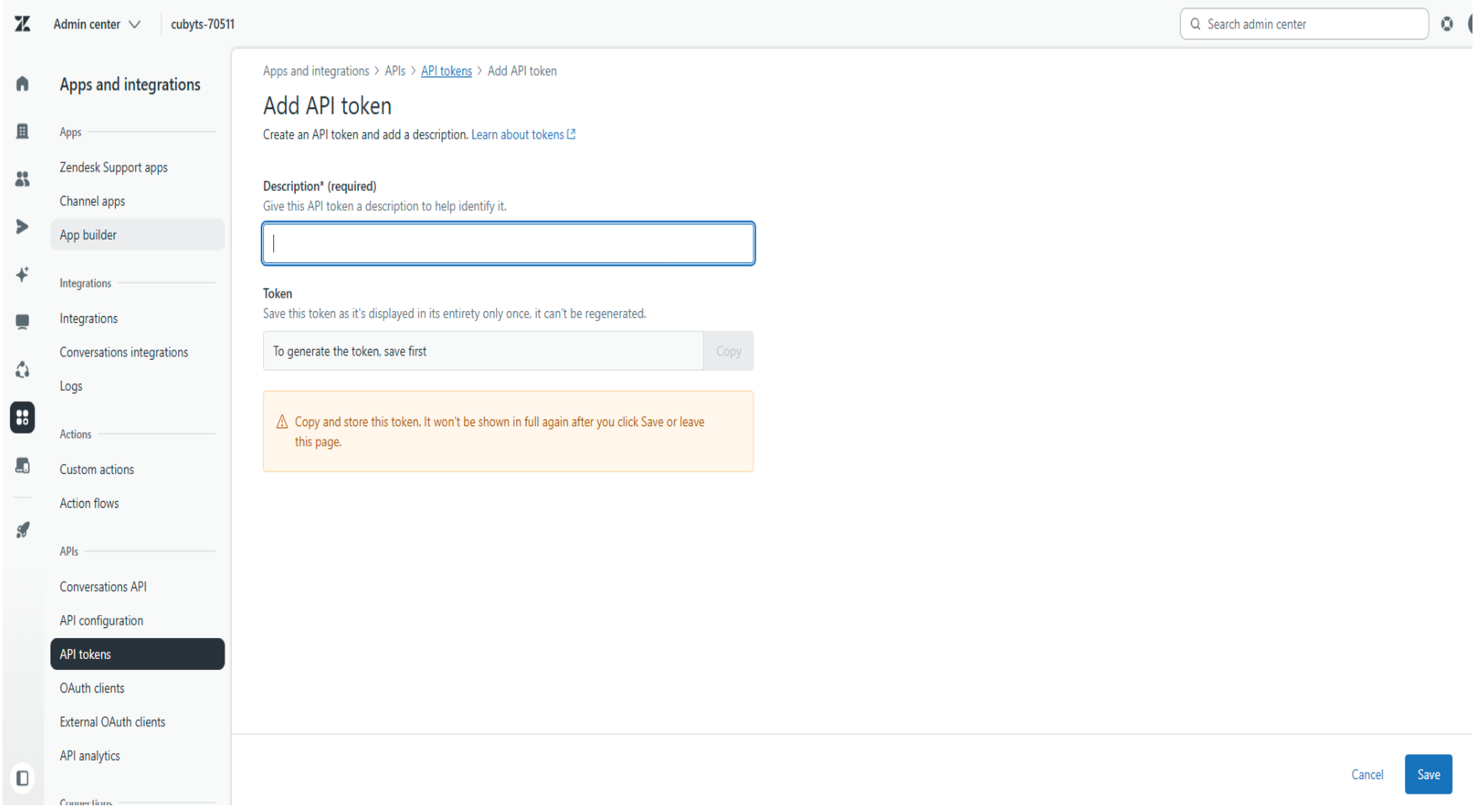
Navigate to:
Admin Center → APIs → API Tokens
Click:
Add API Token
Provide:
Token description
Save the token
Copy and securely store the generated token value
⚠️ Important
Zendesk only displays the generated API token once. Store it securely immediately after creation.
Security Recommendations
Follow these best practices when managing Zendesk API integrations:
Restrict API token creation to administrators.
Rotate API tokens periodically.
Avoid sharing tokens over unsecured channels.
Revoke unused or compromised tokens immediately.
Troubleshooting
Ensure the following settings are correctly configured:
Was this article helpful?
That’s Great!
Thank you for your feedback
Sorry! We couldn't be helpful
Thank you for your feedback
Feedback sent
We appreciate your effort and will try to fix the article